In this tutorial, we are going to learn how to Create a MYSQL Database with AWS RDS for our Application.
Before starting make sure you are in the right region.
Create a MYSQL Database In AWS RDS step by step:
Select RDS from the services
Create Subnets Group:
Before Creating Database, we need to create subnets, so click on subnet from the sidebar and then click on Create Subnet Group:
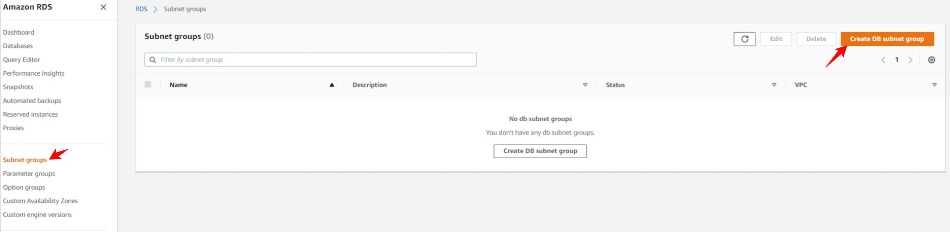
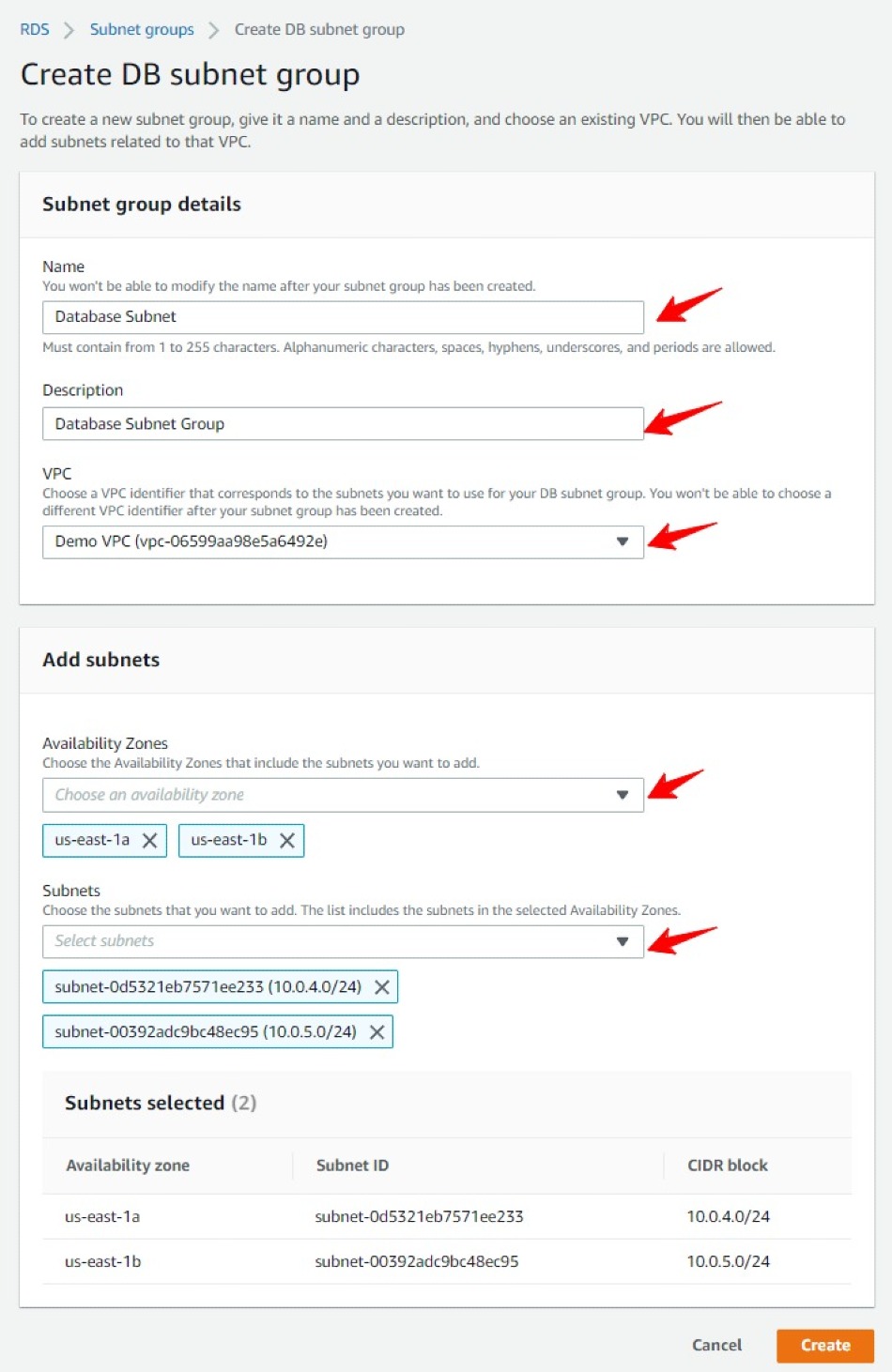
Fill the subnet details as below and click on Create Subnet Group:
Create MySQL Database from RDS:
Click on databases, Click on create Database

While creating database Make sure to select Free Tier Template to avoid any extra charges in Templates section.
In connectivity tab Delete Default from Existing VPC security groups and add our created "Database Security Group"
Select Availability zone us-east-1a(You can also leave as it is)

Now Click on Create database.
That's how you can create MySQL Database with AWS RDS.



Leave a Comment
Share Your Thoughts