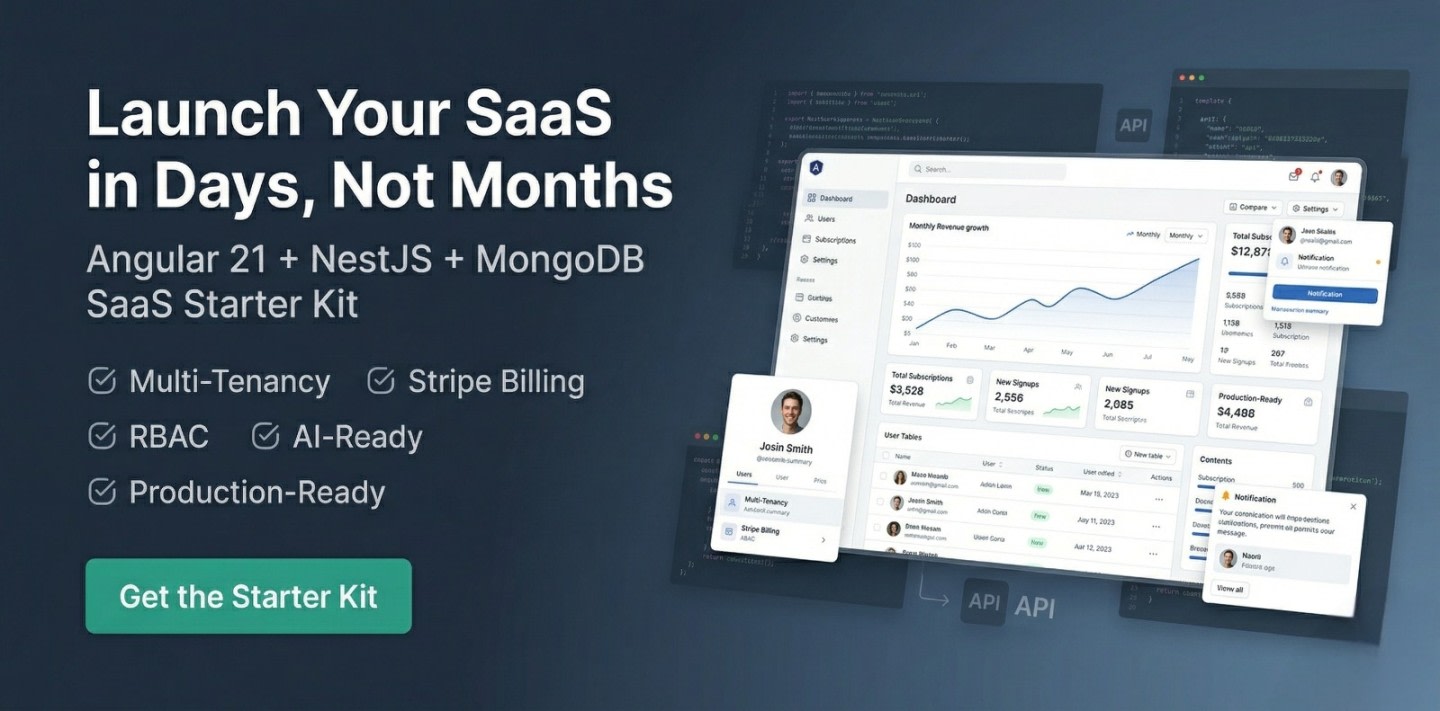
• Angular 22
  • NestJS 11
  • PostgreSQL + Prisma

SaaSKit — Angular 22 + NestJS SaaS Starter Kit

Launch your SaaS on a foundation that is already built.

SaaSKit ships authentication, subscriptions, payments, usage limits and both customer and admin portals — wired together, documented and ready to deploy. Your first sprint goes into your product, not its plumbing.

  • Auth, roles and account security
  • Subscriptions, plans and payments
  • Customer + SaaS Admin portals
  • Usage tracking and feature gating
  • Modular NestJS, PostgreSQL + Prisma
  • Docker setup and developer docs

1.0.0Updated Oct 2026Full source code12 months of updates & supportInstant download

Admin dashboard1.0.0
Ultimate SaaS Starter Kit (Angular 21 + NestJS + Stripe) preview
Frontend
Angular 22
Backend
NestJS 11
Database
PostgreSQL

SaaSKit

1.0.0 · 12 months updates · instant download

Why SaaSKit

Skip the weeks every SaaS spends on the same plumbing.

Sign-up, billing, plan limits, an admin area — every SaaS needs them and none of them make yours different. SaaSKit ships that layer finished, so day one starts on the feature customers pay for.

modules included
17
hours of build work replaced
268+
portals: customer and admin
2
source code you own
100%
  • Ship in weeks, not months

    Start from working sign-up, checkout and dashboards. Your first release is about your product, not its foundations.

  • Monetisation from day one

    Plans, subscriptions, payments and feature-based access are connected, so you can charge from the first release.

  • Reusable infrastructure

    Keep auth, billing, usage limits and portals; swap in your domain modules. One foundation for every SaaS you build.

  • Production-oriented defaults

    Validation, rate limits, secure sessions, audit logs, migrations and Docker are in place from the first commit.

  • Code you can read and own

    Standalone Angular with signals and module-per-domain NestJS. No generators, no black boxes, no licence-key checks.

  • Documented end to end

    Setup, configuration, billing flow, roles and deployment are written down, not left for you to reverse-engineer.

Dashboard previews

Two portals, one codebase.

Your customers get a self-serve portal for their account, plan and usage. You get a SaaS Admin portal to run the business behind it.

Illustrative layout — open the live demo for the real screens.

Customer portal

Everything a subscriber needs, self-serve.

Customers manage their own account, plan and billing, so upgrades happen without a support ticket.

  • Overview of plan, usage and next invoice
  • Upgrade, downgrade and cancel in-app
  • Usage against plan limits, per feature
  • Invoices and payment history
  • Profile, password and notification settings
Illustrative layout — open the live demo for the real screens.

SaaS Admin portal

Run the business behind your product.

Users, plans, subscriptions, revenue and an audit trail — the tooling support needs on launch day, not six months later.

  • Revenue, subscription and user analytics
  • User management with roles and status
  • Plans, pricing and feature limits
  • Payments and invoice records
  • Audit log of sensitive actions
See every included feature

Features

Everything that ships, grouped into four layers.

Select any module to see exactly what is inside it. Every item listed here is included with every licence.

Included with every licence — no add-ons, no locked tiers

Identity & security

4 modules

Everything between a visitor and a secure, authorised session.

  • Email + password with hashed credentials
  • Email verification and password reset flows
  • JWT access tokens with refresh-token rotation
  • Session revocation on sign-out and password change

Billing & monetisation

4 modules

The commercial layer that turns an app into a SaaS.

Portals & operations

5 modules

The screens your customers and your team live in.

Platform & delivery

4 modules

What it takes to get it live and keep it live.

Built for builders

For people who would rather ship than rebuild.

Indie hackers, founders, startups, freelancers and agencies use the same foundation for different reasons.

  • Indie hackers & founders

    An MVP in front of buyers sooner

    Start with working sign-up, plans and checkout, so your first week goes on the feature that makes the product worth paying for.

    Charge customers from the first release

  • Startups

    A foundation your team can grow on

    Clear module boundaries and documented conventions mean new developers build features instead of untangling bespoke plumbing.

    Production patterns from the first commit

  • Freelancers & agencies

    Client SaaS delivered in weeks

    Rebrand the UI, replace the domain modules, and keep auth, billing and both portals untouched across every build.

    Agency licence covers unlimited client projects

A strong fit if you are…

  • An indie hacker or SaaS founder — you want paying users this quarter, not another rewritten auth flow.

  • A startup team — your runway should go on the product, not on plumbing every SaaS shares.

  • A freelancer or agency — one foundation, reused across client projects under the right licence.

  • An Angular or NestJS developer — the conventions will look familiar from day one.

Probably not for you if…

  • You need React, Vue or Next.js — this is an Angular + NestJS codebase and will not be ported.

  • You want a no-code product — this is a source codebase for developers, not a hosted builder.

  • You need a finished niche app — it is a foundation; your domain features are still yours to build.

We would rather lose the sale than sell you the wrong foundation. Source code is non-refundable, so read this list twice.

Architecture

A structure you can read in an afternoon.

Feature-first Angular, module-per-domain NestJS, one Prisma schema. No generated black boxes — every file is yours to open and change.

Layer 01

Angular 22 client

  • Standalone components, signals, lazy routes
  • Customer and admin portals as separate shells
  • Auth interceptor, role and feature guards

Layer 02

NestJS API

  • Domain modules: auth, billing, usage, audit…
  • DTO validation, guards, one error envelope
  • OpenAPI schema generated from decorators

Layer 03

Data & services

  • PostgreSQL via Prisma, migrations committed
  • Stripe and email provider behind adapters
  • Seed script with demo plans and users

Project tree

apps/api/src/usage/guards/feature.guard.ts

@Injectable()
export class FeatureGuard implements CanActivate {
  constructor(
    private readonly reflector: Reflector,
    private readonly entitlements: EntitlementService,
  ) {}

  async canActivate(ctx: ExecutionContext): Promise<boolean> {
    const feature = this.reflector.get<FeatureKey>(FEATURE, ctx.getHandler());
    if (!feature) return true;

    const { user } = ctx.switchToHttp().getRequest<AuthedRequest>();
    const access = await this.entitlements.check(user.id, feature);
    if (!access.allowed) throw new ForbiddenException(access.reason);

    return true;
  }
}

Technology stack

Current, pinned, and upgraded on a stated cadence.

Major framework releases are merged within 60 days and shipped as a minor version to every buyer inside their update window.

See the update policy
Stack and versions
FrontendAngular 22 · standalone + signals
StylingTailwind CSS 4 · DaisyUI 5
BackendNestJS 11 · TypeScript
RuntimeNode.js 22 LTS
DatabasePostgreSQL · Prisma ORM
PaymentsStripe Checkout + webhooks
EmailSMTP adapter · templated transactional
DeliveryDocker · docker-compose · GitHub Actions

Build vs buy

The work already done, itemised.

Estimates reflect a mid-level full-stack developer building each module to production quality — including tests, edge cases and documentation. Apply your own rate; we won't guess it for you.

Estimated hours to build each module yourself
ModuleBuild it yourself
Authentication and account security30 h
Roles, permissions and route guards20 h
User management14 h
Plans, pricing and Stripe integration26 h
Subscriptions, billing and webhooks30 h
Usage tracking and feature gating22 h
Customer portal20 h
SaaS Admin portal26 h
Notifications and audit logs18 h
Analytics dashboards14 h
Modular API, Prisma schema and migrations20 h
Docker, CI and deployment setup16 h
Documentation12 h
Total engineering time replaced268 hours

At a modest $40/hour that layer costs roughly $10,720 to build once. The starter replaces it for $79 — and you still own and control every line.

Developer documentation

Running locally in four commands.

The docs cover setup, environment variables, billing flow, roles, usage limits, email templates and deployment — the same docs used to build the live demo.

git clone <your-private-repo> saaskit && cd saaskit
cp .env.example .env
docker compose up -d   # postgres
pnpm install && pnpm db:migrate && pnpm dev

What documentation covers

  • Local setup and prerequisites
  • Environment variables reference
  • Authentication and security settings
  • Roles and permissions
  • Plans, pricing and Stripe setup
  • Usage limits and feature gating
  • Notifications and email templates
  • Adding a new domain module
  • Database migrations and seeds
  • Production deployment checklist

Updates

Maintained in the open, on a published cadence.

Changelog

  • Angular 21 frontend (signals + standalone components)
  • NestJS backend (modular architecture)
  • MongoDB integration
  • Email/password + JWT
  • Google OAuth login
  • Magic link authentication
  • Two-Factor Authentication (TOTP)

How updates work

  • Framework upgrades

    Major Angular and NestJS releases are merged within 60 days.

  • Delivered to your repository

    Every release is pushed to the same repository with notes.

  • Included in your update window

    Releases inside your window cost nothing extra.

  • Your licence never expires

    After the window ends, your code keeps working as it is.

Who maintains it

Built by the team behind TutsCoder.

TutsCoder has published Angular and Node tutorials for years, and SaaSKit is the architecture those tutorials describe, assembled into one maintained codebase. The same author answers support email.

  • Named maintainer

    Not an anonymous marketplace upload.

  • Public changelog

    Every release documented with dates.

  • Inspect before buying

    Live demo and full docs are open.

Pricing & licences

Every licence ships the complete source.

Tiers differ only in usage rights, seats and support — never in code. One payment, no subscription.

  • Personal

    $79$148one-time

    Indie hackers and founders with one product.

    • Complete Angular + NestJS source
    • Use in 1 product you own
    • Commercial use allowed
    • 12 months of updates
    • Email support, 3 business days
    • Documentation and deployment setup
    Buy Personal
  • Most popular

    Agency

    $149$198one-time

    Freelancers and agencies shipping client work.

    • Everything in Personal
    • Unlimited client projects
    • Up to 5 developer seats
    • 12 months of updates
    • Priority support, 1 business day
    • Client handover notes included
    Buy Agency
  • Extended

    $250$350one-time

    Startups and products sold to end users.

    • Everything in Agency
    • Unlimited developer seats
    • Resell your end product built on it
    • 24 months of updates
    • Private support channel
    • Architecture review call (60 min)
    Buy Extended

Included with every licence

Full source · 12 months of updates · documentation · deployment setup · instant download

Payment & access

  • Cards, UPI and net banking through the checkout
  • Bank transfer with invoice for teams and agencies
  • Download link and repository access immediately after payment
  • Upgrade any time by paying the difference between tiers

Refund policy — read before buying

Because the full source is delivered instantly and cannot be returned, all sales are final and no refunds are issued. The live demo, documentation and walkthrough are open specifically so you can evaluate the product completely before paying. If you are unsure whether it fits your project, email first and we will tell you honestly.

FAQ

The questions buyers actually ask.

Something missing? Email support and you will get an answer from the maintainer, not a template.

Start your next SaaS on a foundation that already works.

268 hours of authentication, billing, usage tracking and admin work — documented, maintained and yours to own. Inspect the demo, read the docs, then decide.

Secure checkout · cards, UPI, invoice · all sales final

What happens after you pay

  1. 1Instant accessDownload link and private repository invite arrive within seconds of payment.
  2. 2Running locallyFour commands in the quickstart bring up the API, client and seeded database.
  3. 3Your licence on recordA certificate confirms your tier, seats and update window for client paperwork.
  4. 4Updates as they shipEvery release inside your window is pushed to the same repository with notes.